Encrypt sensitive data inside Slack, Gmail and Jira
Locki encrypts passwords, API keys and customer details in the browser, before anything is sent. Teammates with the key read them in place. Everyone else, including the app itself, sees only ciphertext.
Free for personal use. Teams start with a 14-day trial, no credit card required.
Encrypt in two clicks, read in one
Nothing new to learn and nothing to copy between windows. Locki adds encryption to the text fields your team already types in.
AES-256-GCM in the browser
Text is encrypted on the device, before it reaches any server.
Open-source cryptography
The encryption library is public, MIT-licensed and tested against NIST vectors.
Your content never reaches us
Locki manages keys and access. The text itself stays in your apps.
Every major browser
Chrome, Edge, Firefox and Safari, from each browser's official store.
See the whole product in four minutes
A narrated walkthrough of a real team: encrypting credentials in Slack, catching secrets before they reach an AI tool, sharing encrypted files, and running it all from the admin dashboard.
Chapters
The video plays from YouTube once you press play.
Works in the web apps your team already uses
Locki works in any text field in the browser. There are no integrations to install and nothing for IT to connect.
- Slack
- Gmail
- Google Docs
- Jira
- Confluence
- Notion
- Microsoft Teams
- Outlook
- Linear
- Asana
- Zendesk
- GitHub
- ...and any other app that runs in the browser
Decide who can read what, in one place
The admin dashboard gives you central control over keys and access, and a record of every encrypt and decrypt — without ever seeing the content.
Create keys for teams and projects, rotate them when you need to, and keep earlier versions so old messages stay readable.
All team features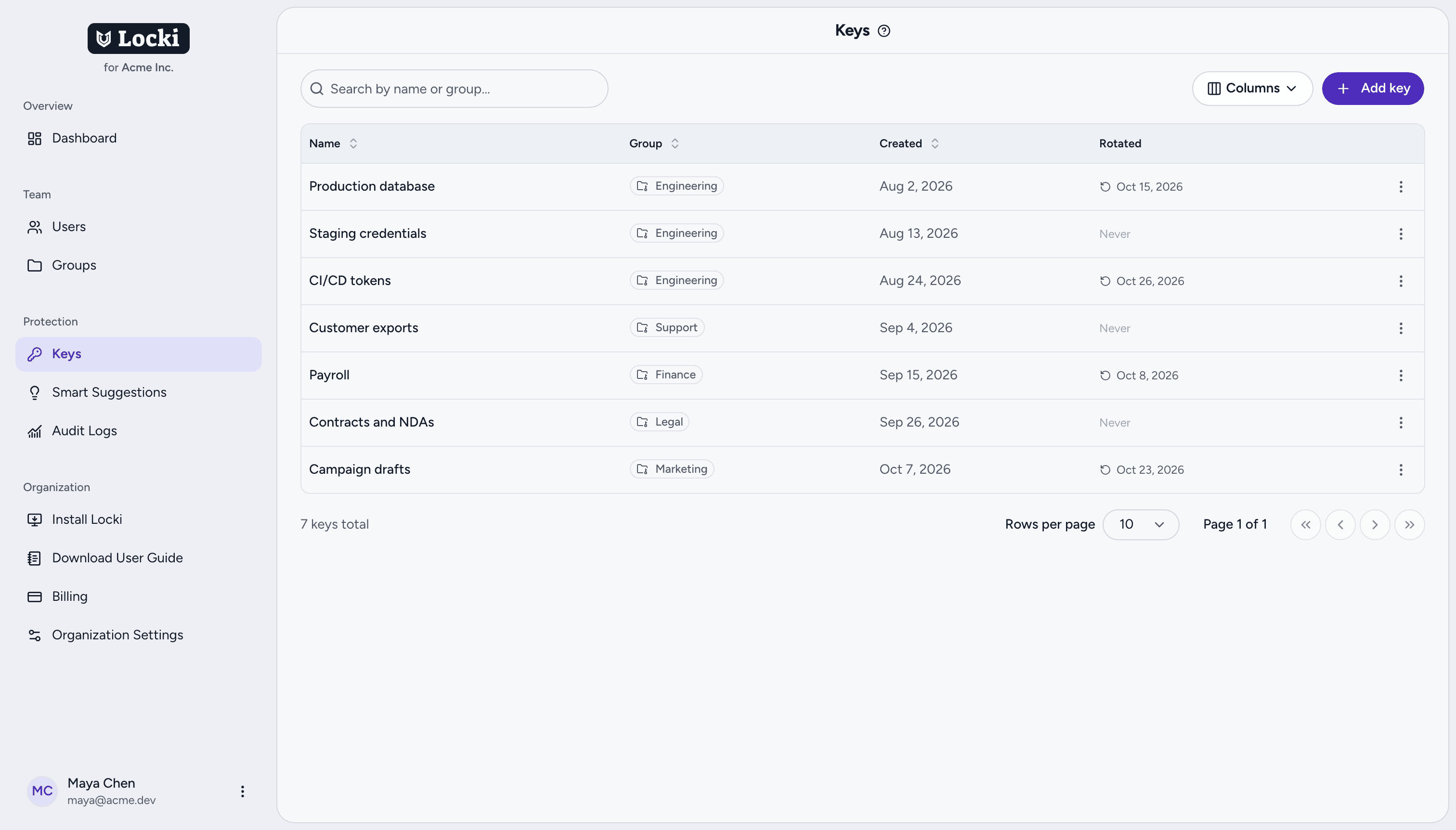
Catch secrets before they're sent in plain text
Locki spots card numbers, API keys and personal data as people type, and suggests encrypting them before they press send — in chat, email, tickets and AI assistants alike.
- The prompt appears before the message is sent, not after
- Ready-made rules for cards, keys and IDs, plus patterns of your own
- Rules per group and per website, managed in the dashboard
Designed so your content never touches our servers
Encryption and decryption happen on your team's devices. Locki keeps keys in encrypted form and records that something happened — never what was written.
AES-256-GCM
Every value is encrypted with a fresh random IV before it leaves the page, using the browser's built-in cryptography.
Keys encrypted at rest
Team keys are stored encrypted and delivered only to signed-in members of the right group. A copy of our database alone reveals nothing.
Personal keys stay on the device
On the free plan, keys are generated and kept in your browser. They never reach our servers.
Metadata-only logs
Audit logs record who did what, with which key and where — never the text that was encrypted.
Open-source cryptography
The library behind Locki is public under the MIT license and tested against NIST AES-GCM vectors. Your security team can read it, run it and reuse it.
$69/month
Unlimited users. Billed per organization.
One price for the whole organization
Free for personal use. Teams Pro is $69 a month per organization, however many people you add, with a 14-day free trial.
Compare plans- Shared keys, groups and key rotation
- Admin dashboard and audit log
- Smart Suggestions for sensitive data
Questions teams ask before rolling out Locki
Does Locki work in apps like Slack, Jira, or Gmail?
Can others decrypt my messages?
How secure is Locki?
How does team key sharing work?
Do I need an account to use Locki?
How much does Locki cost?
Start your 14-day free trial
Full Teams Pro access for your whole organization. No credit card required.